


How To Reboot Your BMW's iDrive System?
If your BMW iDrive system becomes unresponsive, freezes, or behaves unusually, performing a reset can often restore normal operation without deleting settings or data. Understanding how to reset iDrive across different generations — from early CCC to modern Operating System 9 — is essential for BMW owners.
This guide explains how to reset each iDrive version correctly and safely, and also introduces how you can upgrade your system with Wireless Apple CarPlay.
What Is a BMW iDrive Reset?
A BMW iDrive reset is a soft reboot of the infotainment software. It temporarily shuts down the system and restarts it without erasing your data, paired phones, radio settings, or navigation preferences.
The reset acts like restarting a smartphone: it clears temporary errors and reloads the software so the iDrive system runs smoothly again.
You should perform a reset only when the vehicle is safely parked with the ignition on or in “radio‑ready” mode.
Here below are all the procedures based on your car and iDrive version.
You don't know which iDrive your car is equipped with? Check out our iDrive Car Model Guide.
CCC iDrive Reset (BMW 5, 6 & 7 Series Older Models)

The CCC (Car Communication Computer) system was used on many older BMW models, including early E60/E61 5 Series and E65/E66 7 Series vehicles. CCC has a different reset method compared to later systems.
To reset CCC:
-
Ensure the vehicle is safely parked and the ignition is on.
-
Press and hold the DVD eject button, the CD eject button, and the iDrive controller/volume knob simultaneously.
-
Continue holding the buttons until the screen goes dark.
-
Release the buttons and wait for the system to reload.
This forces the CCC unit to reboot from its current state. CCC systems often respond to this multi‑button reset when they freeze or fail to load menus correctly.
CIC iDrive Reset (E90/E91/E92/E93, F01/F02, E70 X5, etc.)

The CIC (Car Information Computer) system is common in vehicles like the E90‑series 3 Series, the F01/F02 7 Series, and early X5 models.
To reset a CIC iDrive:
-
Ensure the vehicle is in a safe and stationary position with iDrive active.
-
Press and hold the volume/power knob on the center console.
-
Hold the knob for about 20 to 30 seconds.
-
Release when the screen turns black.
-
Allow the system to restart fully.
This soft reset clears temporary glitches without affecting saved settings.
NBT iDrive Reset (F30/F31, F10/F11, F25, F15/X5, etc.)

The NBT (Next Big Thing) generation brought improved graphics, faster menus, and hard‑drive navigation storage.
To reset NBT:
-
Make sure the vehicle is safely parked with iDrive active.
-
Press and hold the volume/power knob.
-
Hold for approximately 30 to 60 seconds until the screen goes blank.
-
Release the knob and wait for the system to restart.
The display will turn off and then reload the iDrive interface.
NBT EVO iDrive Reset (G20/G30/G11/G12, etc.)

The NBT EVO system is the successor to NBT and powers many late‑generation BMW models.
Resetting NBT EVO is similar to earlier NBT units:
-
Park the vehicle with iDrive active.
-
Press and hold the volume/mute button.
-
Maintain pressure for about 30 to 60 seconds until the screen turns off.
-
Release and let the system finish the restart.
This method addresses temporary freezing or unresponsive controls.
Operating System 7, 8 and 8.5 Reset

These BMW operating systems introduced a new software structure used in many late‑model vehicles before OS 9. To reset:
-
Park the vehicle with the ignition on and iDrive active.
-
Press and hold the volume control button on the audio control unit.
-
Continue holding for up to 70 seconds.
-
The screen will go black; release the button.
-
Wait for the system to fully reboot.
While the system restarts, some features may be temporarily unavailable. Allow the process to complete before driving.
Operating System 9 Reset
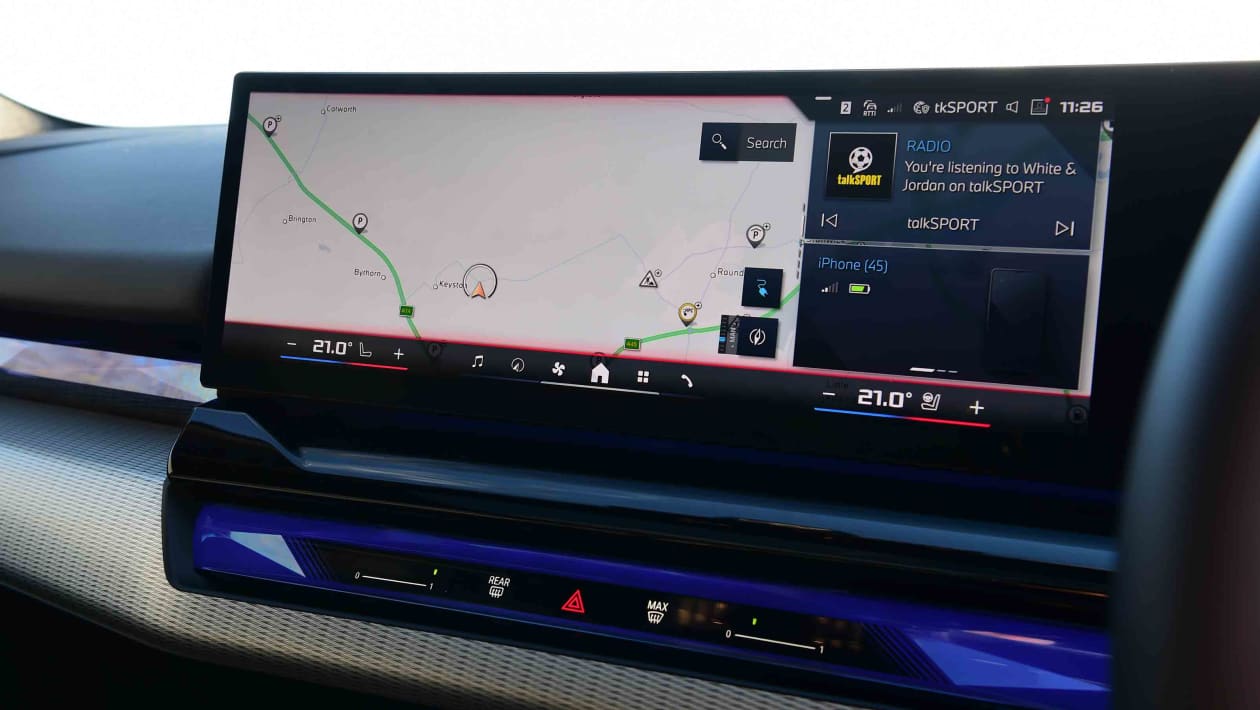
For vehicles with BMW Operating System 9, the reset process includes a menu update step before the hard reset:
-
Navigate to the Apps menu.
-
Select ConnectedDrive Store.
-
Choose Manage.
-
Select Update All.
-
After the update completes, ensure the vehicle is parked with the ignition on and iDrive active.
-
Press and hold the mute (VOL) button for up to 70 seconds.
-
Release when the screen goes blank and wait for the restart.
This method combines a software refresh via the menu with a physical soft reset.
What Happens During a Reset?
During a reset, the iDrive screen will go dark while the system software shuts down and restarts. You may see the BMW logo briefly before the main menu returns. Navigation, media, and phone functions are not available during the reset, but all return once the process finishes.
This behaviour is normal and indicates the system is reinitializing.
Is It Safe to Reset iDrive?
Yes — a soft iDrive reset is completely safe. It does not affect mechanical or electrical systems and does not erase personal data, settings, or paired devices.
Unlike a factory reset, the reboot keeps all user preferences, so it’s recommended as the first step when troubleshooting infotainment issues.
Upgrade Your BMW iDrive with Wireless CarPlay
If your BMW iDrive system only supports wired smartphone connectivity or does not include Apple CarPlay or Android Auto, you can modernize your vehicle with a Wireless CarPlay retrofit kit.
These kits allow you to add wireless Apple CarPlay and Android Auto while keeping the original BMW screen and controls. Installation is typically plug‑and‑play, preserving all factory functions and providing seamless integration with your iDrive system. This upgrade makes everyday smartphone tasks — navigation, music streaming, calls, and messages — more convenient and accessible without cables.
Conclusion
Knowing how to reset your BMW iDrive system can solve many common issues quickly and without hassle. Whether your vehicle uses CCC, CIC, NBT, NBT EVO, or a modern BMW Operating System, there is a soft reset method that can help restore normal functionality.
A reset is safe and effective, and combined with modern upgrades like Wireless CarPlay, it keeps your BMW infotainment system both reliable and up‑to‑date.