


Apple Carplay/AndroidAuto Connected Module for Volkswagen Passat B7 (2010-2015)
$54990Unit price /Unavailable

Apple Carplay/AndroidAuto Connected Module for Volkswagen Touareg RNS850 (2011-2017)
$54990Unit price /Unavailable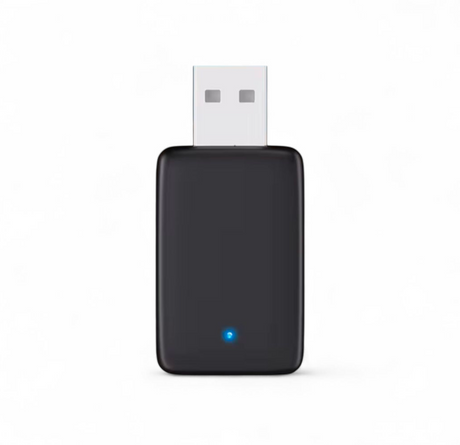

Wireless Carplay and AndroidAuto Adapter for Volkswagen
$9990Unit price /Unavailable-
Apple Carplay/AndroidAuto Connected Module for Volkswagen golf Mk6 (2008-2012)
$54990Unit price /Unavailable -
Apple Carplay/AndroidAuto Connected Module for Volkswagen Amarok (2012-2016)
$54990Unit price /Unavailable -
Apple Carplay/AndroidAuto Connected Module for Volkswagen CC (2010-2018)
$54990Unit price /Unavailable -
Apple Carplay/AndroidAuto Connected Module for Volkswagen Multivan/Transporter T5 (2012-2016)
$54990Unit price /Unavailable -
Apple Carplay/AndroidAuto Connected Module for Volkswagen Crafter (2012-2016)
$54990Unit price /Unavailable 
Apple Carplay/AndroidAuto Connected Module for Volkswagen Atlas I (2017 - 2024)
$58200Unit price /Unavailable


Wireless Apple CarPlay & Android Auto Modules for Volkswagen – Premium Plug & Play Upgrade
Upgrade your Volkswagen with our latest generation Wireless Apple CarPlay and Android Auto modules, designed to integrate seamlessly with your factory infotainment system. Each solution operates as a high-performance carplay box, delivering full smartphone connectivity without changing your original screen or interior.
All products in this collection include free shipping and are delivered as a 1-year guaranteed product.
What This CarPlay Box Adds to Your Volkswagen
Enjoy a fully connected driving experience:
-
Wireless Apple CarPlay & Android Auto
-
Google Maps, Waze, Apple Maps, Spotify, WhatsApp
-
Siri & Google Assistant voice control
-
Control through steering wheel buttons, touchscreen and rotary controls
-
Crystal-clear sound through the OEM audio system
OEM Integration – 100% Plug & Play
Our carplay box modules are engineered specifically for Volkswagen platforms and connect directly to your factory wiring.
-
No coding required
-
No modification to the dashboard or screen
-
All original functions retained: parking sensors, reverse camera, vehicle menus
-
Average installation time: 30 to 60 minutes
Compatibility – Volkswagen Models
Compatible with most Volkswagen vehicles equipped with MIB, RCD or Discover Media systems, including Golf, Passat, Tiguan, Polo, T-Roc, Arteon and more. Exact compatibility is detailed on each product page.
Modern Connectivity for Your Volkswagen
A wireless carplay box is the fastest way to modernize your Volkswagen while preserving its original design and factory features.
Order today and enjoy free shipping and a 1-year guaranteed product on every Wireless Apple CarPlay & Android Auto module.
Frequently Asked Questions
What is Apple Carplay ?
What is Apple Carplay ?
How to use Apple Carplay ?
How to use Apple Carplay ?
How to set up Apple Carplay ?
How to set up Apple Carplay ?
How to connect Carplay ?
How to connect Carplay ?
How to enable Siri for Carplay ?
How to enable Siri for Carplay ?
Can you add Apple Carplay without adding an extra screen ?
Can you add Apple Carplay without adding an extra screen ?
How to install Apple Carplay in older car ?
How to install Apple Carplay in older car ?
How to get Carplay in my car ?
How to get Carplay in my car ?