


Apple Carplay/Android Auto retrofit kit for Audi A4 S4 RS4 B8 (2007 to 2016)
$46990Unit price /Unavailable

Apple Carplay/Android Auto retrofit kit for Audi A7 S7 RS7 C7 (2010 to 2018)
$46990Unit price /Unavailable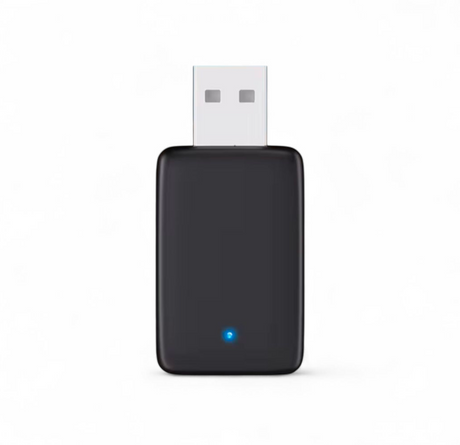

Wireless Carplay and AndroidAuto Adapter for Audi MMI
$9990Unit price /Unavailable

Apple Carplay/Android Auto retrofit kit for Audi A8 D4 (2009 to 2017)
$46990Unit price /Unavailable-
Apple Carplay/Android Auto retrofit kit for Audi A6 C7 (2010 to 2018)
$46990Unit price /Unavailable -
Apple Carplay/Android Auto retrofit kit for Audi A4 S4 RS4 B9 MIB (2016 to 2019)
$54990Unit price /Unavailable -
Apple Carplay/Android Auto retrofit kit for Audi A5 S5 RS5 B9 MIB (2016 to 2019)
$54990Unit price /Unavailable 
Apple Carplay/Android Auto retrofit kit for Audi Q5 II (2017 to 2024)
$54990Unit price /Unavailable

Apple Carplay/Android Auto retrofit kit for Audi Q5 (2009 to 2015)
$54990Unit price /Unavailable-

Wireless Apple Carplay/Android Auto retrofit kit for Audi A5 S5 RS5 B8 (2007 to 2016)
$46990Unit price /Unavailable 
Wireless Apple Carplay/Android Auto retrofit kit for Audi Q7 II (2015 to 2024)
$54990Unit price /Unavailable
Apple Carplay/Android Auto retrofit kit for Audi A3 S3 RS3 8V (2013 to 2018)
$54990Unit price /Unavailable


Wireless Apple CarPlay & Android Auto Modules for Audi – Plug & Play Multimedia Upgrade
Upgrade your Audi with our premium Wireless Apple CarPlay and Android Auto modules, designed to add full smartphone connectivity to factory screens without changing the original head unit. These systems, often referred to as a carplay box, integrate seamlessly into your OEM interface while preserving all native functions.
All modules in this collection include free shipping and every unit is a 1-year guaranteed product.
What This CarPlay Box Brings to Your Audi
Our wireless modules give you the same experience found in the newest vehicles:
-
Wireless Apple CarPlay & Android Auto
-
Spotify, Waze, Google Maps, Apple Maps, WhatsApp, Siri & Google Assistant
-
Steering wheel, MMI knob and touchscreen control (when supported)
-
Full OEM sound quality through the factory audio system
This technology is identical to what drivers search for under Carplay BMW solutions – but fully engineered for Audi platforms.
OEM Integration – No Coding Required
Each carplay box is model-specific for Audi vehicles and connects directly behind the factory screen using a dedicated wiring harness.
-
No dashboard cutting
-
No coding or software updates
-
Original Audi system preserved
-
Reverse camera, parking sensors and factory menus remain functional
Installation typically takes 30–60 minutes.
Compatibility – Audi Models
This collection supports a wide range of Audi vehicles equipped with MMI systems, including A3, A4, A5, A6, Q3, Q5, Q7 and more. Exact compatibility is detailed on every product page.
If you are unsure which module fits your vehicle, our team can confirm instantly.
Modernize Your Audi in One Upgrade
A wireless carplay box is the most cost-effective way to bring modern connectivity into your Audi without replacing the screen. If you are familiar with Carplay BMW upgrades, you will appreciate the same seamless functionality now available for Audi.
Order today and benefit from free shipping and a 1-year guaranteed product on every wireless Apple CarPlay & Android Auto module.
Frequently Asked Questions
What is Apple Carplay ?
What is Apple Carplay ?
How to use Apple Carplay ?
How to use Apple Carplay ?
How to set up Apple Carplay ?
How to set up Apple Carplay ?
How to connect Carplay ?
How to connect Carplay ?
How to enable Siri for Carplay ?
How to enable Siri for Carplay ?
Can you add Apple Carplay without adding an extra screen ?
Can you add Apple Carplay without adding an extra screen ?
How to install Apple Carplay in older car ?
How to install Apple Carplay in older car ?
How to get Carplay in my car ?
How to get Carplay in my car ?