


Apple CarPlay/Android Auto-achterafmontageset voor Audi A4, S4 en RS4 B8 (2007 t/m 2016)
€34990Eenheid prijs /Niet beschikbaar

Apple CarPlay/Android Auto-achterafmontageset voor Audi A7, S7 en RS7 (C7, bouwjaar 2010 t/m 2018)
€39990Eenheid prijs /Niet beschikbaar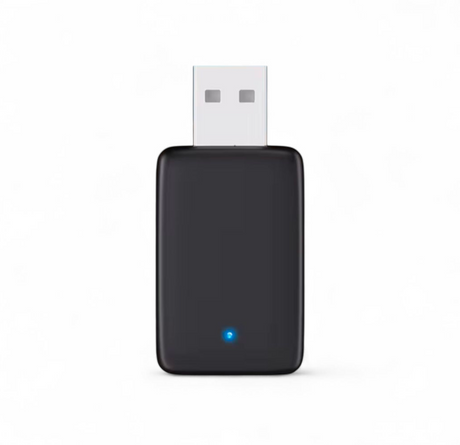

Draadloze CarPlay- en Android Auto-adapter voor Audi MMI
€6990Eenheid prijs /Niet beschikbaar

Apple CarPlay/Android Auto-ombouwset voor Audi A8 D4 (2009 tot 2017)
€34990Eenheid prijs /Niet beschikbaar-
Apple CarPlay/Android Auto-achterafmontageset voor Audi A6 C7 (2010 tot 2018)
€39990Eenheid prijs /Niet beschikbaar -
Apple CarPlay/Android Auto-achterafmontageset voor Audi A4, S4 en RS4 B9 MIB (2016 tot en met 2019)
€39990Eenheid prijs /Niet beschikbaar -
Apple CarPlay/Android Auto-achterafmontageset voor Audi A5, S5 en RS5 B9 MIB (2016 tot en met 2019)
€39990Eenheid prijs /Niet beschikbaar 
Apple CarPlay/Android Auto-achterafmontageset voor Audi Q5 II (2017 tot 2024)
€39990Eenheid prijs /Niet beschikbaar

Apple CarPlay/Android Auto-ombouwset voor Audi Q5 (2009 tot 2015)
€34990Eenheid prijs /Niet beschikbaar-

Draadloze Apple CarPlay/Android Auto-achterafmontageset voor Audi A5, S5 en RS5 B8 (2007 t/m 2016)
€34990Eenheid prijs /Niet beschikbaar 
Draadloze Apple CarPlay/Android Auto-achterafmontageset voor de Audi Q7 II (2015 tot en met 2024)
€39990Eenheid prijs /Niet beschikbaar
Apple CarPlay/Android Auto-achterafmontageset voor Audi A3, S3 en RS3 8V (2013 t/m 2018)
€34990Eenheid prijs /Niet beschikbaar


Draadloze Apple CarPlay- en Android Auto-modules voor Audi – Plug & Play-multimedia-upgrade
Upgrade uw Audi met onze hoogwaardige draadloze Apple CarPlay- en Android Auto-modules, ontworpen om volledige smartphoneconnectiviteit toe te voegen aan fabrieksschermen zonder de originele head-unit te vervangen. Deze systemen, vaak aangeduid als een CarPlay-box, integreren naadloos in uw OEM-interface met behoud van alle standaardfuncties.
Alle modules in deze collectie worden gratis verzonden en elk exemplaar heeft een garantie van 1 jaar.
Wat deze CarPlay-box voor uw Audi betekent
Onze draadloze modules bieden u dezelfde ervaring als in de nieuwste auto's:
-
Draadloze Apple CarPlay & Android Auto
-
Spotify, Waze, Google Maps, Apple Maps, WhatsApp, Siri en Google Assistant
-
Bediening via het stuur, de MMI-knop en het touchscreen (indien ondersteund)
-
Volledige OEM-geluidskwaliteit via het fabrieksaudiosysteem
Deze technologie is identiek aan wat bestuurders zoeken onder de noemer 'CarPlay BMW-oplossingen' – maar volledig ontwikkeld voor Audi-platforms.
OEM-integratie – geen codering nodig
Elke CarPlay-box is modelspecifiek voor Audi-voertuigen en wordt via een speciale kabelboom direct achter het fabrieksscherm aangesloten.
-
Geen ingrepen in het dashboard
-
Geen codering of software-updates nodig
-
Het originele Audi-systeem blijft behouden
-
Achteruitrijcamera, parkeersensoren en fabrieksmenu’s blijven functioneren
De installatie duurt doorgaans 30–60 minuten.
Compatibiliteit – Audi-modellen
Deze collectie ondersteunt een breed scala aan Audi-voertuigen die zijn uitgerust met MMI-systemen, waaronder de A3, A4, A5, A6, Q3, Q5, Q7 en meer. De exacte compatibiliteit wordt op elke productpagina gedetailleerd beschreven.
Als u niet zeker weet welke module bij uw auto past, kan ons team dit direct voor u controleren.
Moderniseer uw Audi met één upgrade
Een draadloze CarPlay-box is de meest kosteneffectieve manier om moderne connectiviteit in uw Audi te brengen zonder het scherm te vervangen. Als u bekend bent met CarPlay-upgrades voor BMW, zult u dezelfde naadloze functionaliteit waarderen die nu ook beschikbaar is voor Audi.
Bestel vandaag nog en profiteer van gratis verzending en 1 jaar productgarantie op elke draadloze Apple CarPlay- en Android Auto-module.
Frequently Asked Questions
What is Apple Carplay ?
What is Apple Carplay ?
How to use Apple Carplay ?
How to use Apple Carplay ?
How to set up Apple Carplay ?
How to set up Apple Carplay ?
How to connect Carplay ?
How to connect Carplay ?
How to enable Siri for Carplay ?
How to enable Siri for Carplay ?
Can you add Apple Carplay without adding an extra screen ?
Can you add Apple Carplay without adding an extra screen ?
How to install Apple Carplay in older car ?
How to install Apple Carplay in older car ?
How to get Carplay in my car ?
How to get Carplay in my car ?